Org IQ and EmailAnalytics overlap around email visibility, but their scopes are very different.
EmailAnalytics centers on Gmail and Outlook activity reporting, response-time tracking, SLA alerts, shared mailbox analytics, and team dashboards. It defaults to email metadata plus subject lines for these metrics, while optional AI features may briefly analyze body content without storing it.
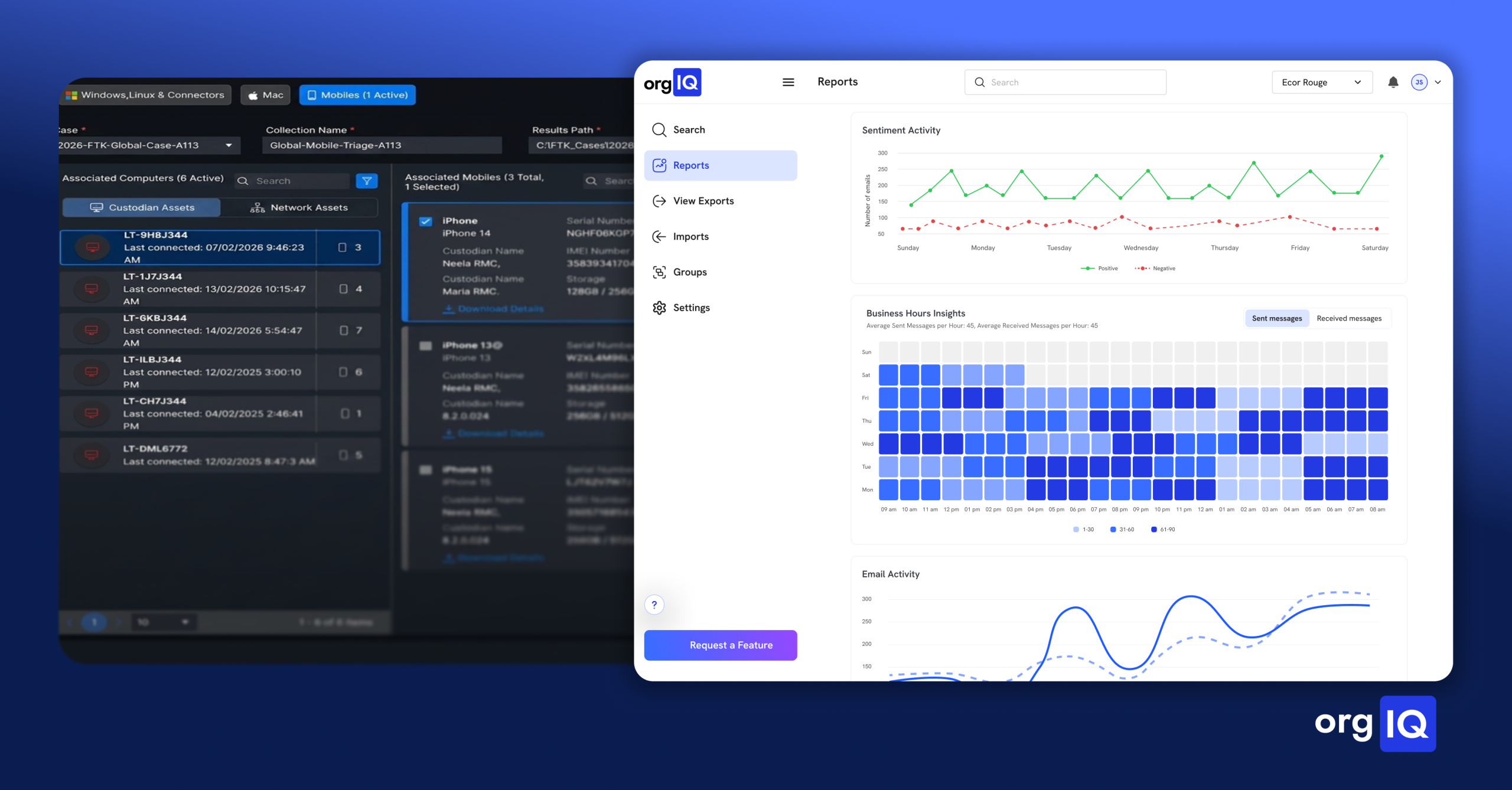
Org IQ combines most of the above with AI-powered search, sentiment analysis, and employee focus reports, as well as providing full-message archiving, immutable retention, exports, and PII detection.
For business buyers, the tradeoff is plain. If you mainly need lightweight email analytics software for business, especially Outlook email analytics or Gmail email analytics for teams, EmailAnalytics is the narrower and simpler starting point.
If you need compliant email archiving, searchable thread history, cross-functional investigations, and broader leadership reporting from the same system, Org IQ covers more of that stack.
Why This Decision Has Become More Complex
This comparison matters because many teams are evaluating email archiving vs email analytics, rather than simply comparing one vendor against another. For regulated organizations, SEC Rule 17a-4 and FINRA books-and-records rules create pressure to preserve electronic records, maintain audit trails or WORM-style preservation, and produce records in reasonably usable electronic formats when requested.
At the same time, frontline managers also want faster insight into response times, workload patterns, and account friction, ideally from the very emails they’re preserving for the legal obligations mentioned above.
That explains why Org IQ and EmailAnalytics can appear in nearby shortlists. Both connect to Microsoft 365 and Google Workspace environments, and both surface communication patterns, but they differ significantly in data depth, searchability, retention, and review workflows.
Overlapping Email Visibility Capabilities
Both platforms support a meaningful common layer of visibility features.
- Response-time and email activity reporting.
- Cloud delivery with no local software installation.
- Microsoft 365 and Google Workspace connectivity.
- Team-level dashboards and employee-level insights.
- Programmable email-delivered reports for downstream review.
- Multi-user visibility through shared mailbox and team reporting workflows.
How the Platforms Differ in Practice
We now arrive at the fundamental fork in buyer intent: EmailAnalytics centers on reply-time and activity analytics, primarily from email metadata, while Org IQ layers deeper analytics on top of a retained email record with more extensive search and review controls.
Product Overviews and Target Customers
EmailAnalytics is designed for managers monitoring sales teams, customer service teams, remote employees, and other email-heavy users. Its reporting intends to help these businesses improve response times and meet SLA targets, though publicly available materials don’t fully clarify how customizable those SLA workflows are.
Org IQ positions itself across HR, Legal, executives, sales, customer success, and similar teams that need searchable records plus in-depth reporting on sentiment, responsiveness, and communication patterns.
Search and Data Scope
EmailAnalytics supports shared mailbox reporting and surfaces specific conversations behind response-time and sentiment metrics. However, by default, it only stores header data and subject lines—not full message bodies and attachments—so full-thread or email content search is not possible on the platform.
Org IQ, meanwhile, provides full-message archiving that captures messages, BCCs, and attachments, then layers tag-based search and full-thread retrieval on top. To safeguard customer emails, Org IQ applies SOC 2-audited controls, encrypted AWS-hosted infrastructure, tenant isolation, mandatory two-factor authentication, and publicly documented policies around account, usage, and archived data handling.
Reporting and Analytics
EmailAnalytics focuses on metrics such as:
- Response time,
- Sent and received counts,
- Top contacts,
- Day and hour charts,
- Daily or weekly digests,
- SLA alerts, and
- Optional AI-enabled sentiment analysis.
On the other hand, Org IQ covers all the above (except SLA alerts), while providing PII detection and broader behavioral signals tied back to archived conversations.
Org IQ’s sentiment analysis, having full access to business emails, is also more centralized and wide-ranging than EmailAnalytics’ piecemeal version.
Ease of Use and Integrations
Both EmailAnalytics and Org IQ run on the cloud, so there’s no software to install and no IT work needed to get started on either for both Google and Microsoft inboxes.
However, Org IQ has more robust third-party references attesting to this, including reviews that laud the product for being “easy to implement and use”.
More information on this:
- Microsoft 365 and Google Workspace journaling is plug-and-play.
- Setting up Org IQ subjects email systems to no MX record changes.
- Most customers are up and uncovering insights in under 15 minutes.
- Guest access can also be granted to outside reviewers in a few clicks.
Privacy, Security, and Compliance
Org IQ publishes the stronger records-and-governance posture. Its public materials describe immutable archiving, end-to-end encryption, audit history, AWS hosting, SEC and FINRA alignment, and a completed SOC 2 Type I audit, with Type II underway.
EmailAnalytics publicly adopts a lighter data-handling posture: encrypted connections, annual Google-approved security audits, Google and Microsoft partner status, GDPR compliance language, and an inaccessible privacy policy. Buyers evaluating security-sensitive platforms may prefer vendors with more mature public compliance documentation and more defensible third-party attestations.
Feature Comparison Table
| Attribute | EmailAnalytics | Org IQ |
| Product focus | Gmail and Outlook activity data for managers tracking sales, service, remote, and email-heavy teams | Searchable archive plus analytics for HR, Legal, leadership, and client-facing teams |
| Data captured | Metadata and subject lines by default; optional AI features may analyze email body content without retaining it long term | Full messages, BCCs, and attachments in an immutable, compliant archive |
| Main feature set | Response time, SLA alerts, shared mailbox analytics, sentiment analysis | Tag-based search, top sent to and received addresses, sentiment analysis, employee focus reports, flexible user permissions, export capabilities |
| Search and export | Conversation-level metric drill-down plus opt-in email reports for managers; archive-style full-message export not supported | Full-thread, tag-driven, and attachment search; export of full threads and attachments |
| Integrations and platform support | Google Workspace, Microsoft 365 shared mailbox support, web-based with no install | Microsoft 365, Google Workspace, legacy archive import, web-based onboarding |
| Pricing tiers | Pro plan at $19/inbox/month. 10% savings on annual plan. 14-day trial period | Storage-based monthly pricing, annual and multi-year discounts, pay only for archived data and exports. Free 30-day trial included. Lighter On Demand plan also available. |
| Security and compliance status | Encrypted connections, “Google-approved” annual audit, Google and Microsoft partner status, GDPR claim | SOC 2 Type I (Type II underway), AWS-hosted, encrypted, tenant-isolated, SEC- and FINRA-aligned archiving |
Pricing, plans, and vendor transparency
EmailAnalytics offers per-inbox pricing with a 14-day trial. Its Pro plan is listed at $19/inbox/month or $17.10/inbox/month annually and includes all available features for up to two years of email history. Volume discounts are available through sales conversations.
Org IQ uses a usage-based pricing model tied to archived data volume rather than user count. It splits experiences into Insights and Intelligence tiers, which are designed for ongoing archiving, search, and analytics. A separate $49 On Demand option provides lower-commitment access to core search and retrieval functionality.
Pricing, onboarding expectations, and platform tiers are publicly documented, allowing teams to estimate costs before engaging with sales (except for enterprise customers).
Summary and Takeaways
Org IQ’s strengths are archival completeness, search depth, guest access, and compliance-oriented analytics. Its tradeoff is breadth: that feature set can be more than a team needs if the only goal is reply-time reporting.
EmailAnalytics’s strengths are fast setup, focused manager reporting, shared mailbox analytics, and lower published entry pricing. Its tradeoff is scope: it is not a full archive, and its compliance posture centers on privacy and metadata minimization rather than records retention. Security assurances are also limited.
The right choice usually comes down to a few organizational factors.
Company Size
Smaller teams that mainly want email response time tracking may lean toward EmailAnalytics, while teams that expect HR, Legal, and leadership to work from the same retained, defensible record may get more from Org IQ.
Team Structure
If access stays mostly with frontline managers, EmailAnalytics may be enough. If multiple departments need direct search and controlled guest access, Org IQ has the broader workflow.
Analytics Needs
Choose EmailAnalytics for activity metrics, shared mailbox analytics, and SLA-driven management. Choose Org IQ when you also need full-thread visibility, sentiment, PII tagging, exports, and historical context.
Compliance Complexity
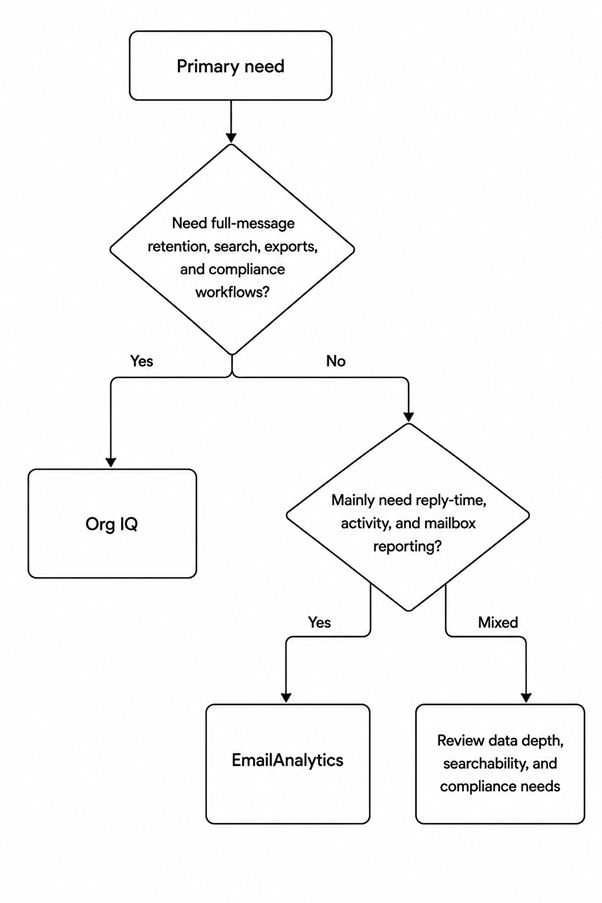
If the organization needs compliant email archiving or routine investigation workflows, Org IQ is the clearer fit. If the organization mainly wants Gmail or Outlook performance analytics, EmailAnalytics stays closer to that lane.
Concisely? Choose Org IQ if you need archive-backed search, full-message exports, and analytics from one system; choose EmailAnalytics if you mainly need fast-to-deploy activity and response-time dashboards for Gmail or Outlook.
Frequently asked questions
Does EmailAnalytics archive full email content for compliance?
No. EmailAnalytics primarily works off of email metadata and subject lines. Optional AI features may briefly access email bodies for analysis, but do not store them
Does Org IQ support full-thread search, exports, and attachments?
Yes. Org IQ provides full email archiving, search, exports, attachment access, and AI-powered search capabilities across archived communications
Which platform is better for shared mailbox analytics?
EmailAnalytics is the stronger fit for shared mailbox reporting, team response tracking, workload visibility, and Outlook + Gmail shared inbox analytics.
Which platform is better for audits or investigations?
Org IQ is better suited for those workflows because it combines archiving, search, exports, retention, and investigation-oriented access to historical communications.
Which platform is more cost-effective for small teams?
EmailAnalytics is typically less expensive for small teams with few-to-no retention needs, while Org IQ includes broader archiving and intelligence capabilities.
Explore Org IQ with interactive demos and industry-specific guides, or connect with our team for a walkthrough tailored to your organization’s needs.